Quick Answer
To open a Tesla door, press the exterior handle on Model S and X, or push the wide end of the handle on Model 3 and Y. You can also unlock your car using the official Tesla mobile app or your key fob. If electronic systems fail, pull the manual release lever located near the window switches.
Opening a Tesla door often confuses new owners because the handles work differently than traditional vehicles. These flush-mounted designs improve aerodynamics but require a specific touch to operate. This guide explains how to open your car properly and what to do if the electronic system fails.
Key Takeaways
- Model S handles extend automatically or when you press them.
- Model 3 and Model Y handles require a thumb-push on the wide end to pivot.
- Model X front doors use a simple press, while falcon wing doors operate via the fob or screen.
- The Tesla mobile app acts as a digital key when paired with your vehicle.
- Manual release latches exist near the window switches for emergency use only.
Step-by-Step Guide to Opening Tesla Doors by Model

Each Tesla model has a unique handle design. Learning these mechanics prevents frustration during your daily commute.
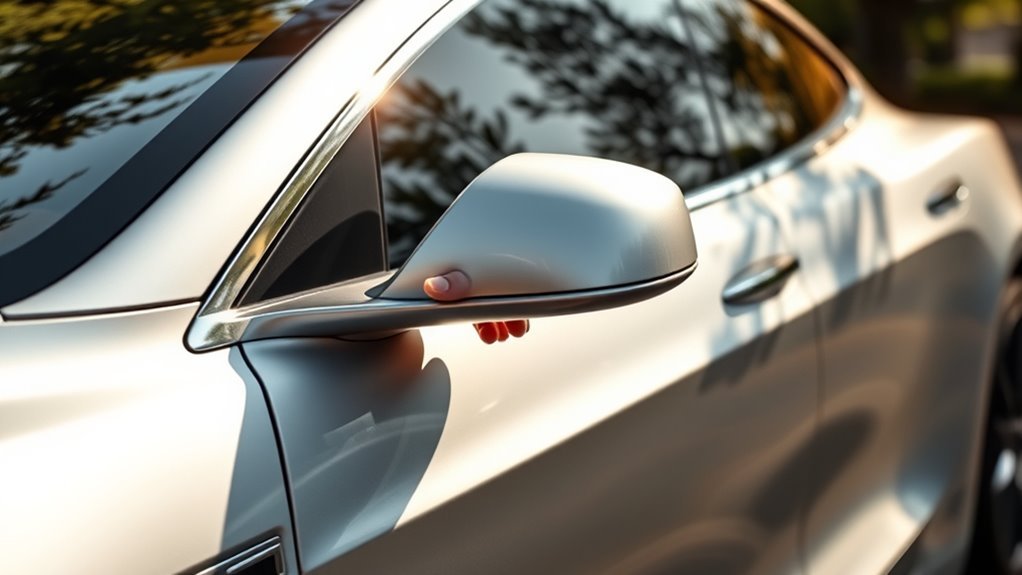
Model S: Press the smooth exterior handle. It extends automatically, allowing you to pull the door open like a standard vehicle.
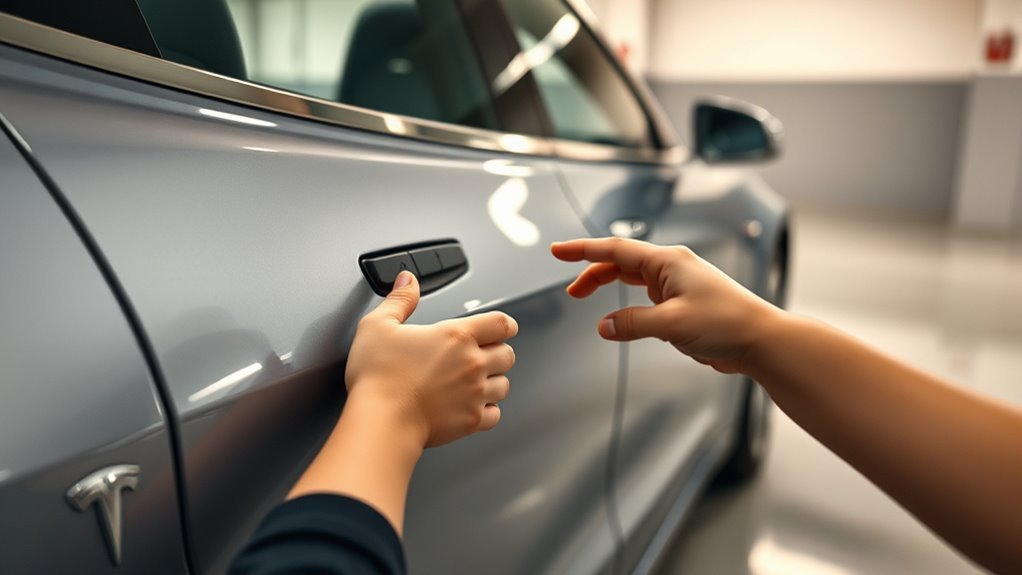
Model 3 and Model Y: Place your thumb on the wide, fixed part of the handle. Push firmly to pivot the handle outward, then grab the protruding end with your fingers and pull.
Model X: Press the front handles lightly to extend them. Use the interior electronic button to swing the doors open. For falcon wing doors, use the key fob or the controls on your center touchscreen.
All models support locking and unlocking via the key card, key fob, or the official Tesla mobile app. Always ensure your mobile device has Bluetooth enabled for reliable proximity sensing.
Unlocking Your Tesla With Key Fobs and Apps
Modern access technology replaces traditional metal keys. You can use a key fob, a credit-card style key, or your smartphone.
The Tesla mobile app functions as a digital key. Once you pair the phone with your car, the vehicle detects your arrival and unlocks automatically as you approach. If the car does not unlock, open the app and tap the unlock icon on the home screen.
The key fob offers similar functionality. You can press the buttons to lock or unlock the car manually. If you carry the fob in your pocket, the car recognizes your presence to allow entry.
Always keep your key fob battery fresh. If the fob becomes unresponsive, replace the internal coin-cell battery. Also, ensure your smartphone maintains a stable Bluetooth connection to avoid access delays.
Troubleshooting Door Access Issues
Occasional connection issues may prevent the doors from opening. Follow these steps to restore access.
First, check your smartphone’s Bluetooth settings. If the connection drops, toggle Bluetooth off and on again. Second, ensure your key fob is within range and has a working battery.
If the doors remain locked, restart the center touchscreen. Hold down both scroll wheels on the steering wheel until the display turns black and the logo reappears. This reboot often clears software-related communication glitches.
If you cannot enter the vehicle at all, use your key card. Tap the card against the pillar on the driver’s side to unlock the doors manually. Always consult a qualified service technician if these steps fail to resolve your issue.
Safety Features: Manual Releases and Child Locks
Tesla includes physical safety backups for emergency situations. Every door features a manual release lever located near the window switches.
Use the manual release only if the electronic system loses power. Pulling this lever forces the latch to open. Repeated use of the manual release can damage the window seal, so avoid using it for routine entry.
You can also manage child safety locks through the touchscreen. Navigate to Controls and select Locks. From here, you can prevent rear passengers from opening the doors from the inside, which adds security when transporting children.
Tesla Door Handle Mechanisms Overview
Tesla designs its handles for both function and style. Here is a summary of how each model operates:
- Model S: Handles extend automatically for a flush finish.
- Model 3/Y: Manual pivot mechanism requires a thumb-push.
- Model X: Electronic-assist handles for front doors and specialized falcon wing sensors.
Frequently Asked Questions
How do you open all doors on a Tesla?
To unlock all doors simultaneously, navigate to the Controls menu on your touchscreen. Under the Locks tab, you can adjust the unlock settings to open all doors at once rather than just the driver side.
How to open a Tesla door manually?
Locate the mechanical lever near the interior window switches. Pull the lever upward to release the latch and push the door open. Use this method only when the vehicle loses power.
Can I open my Tesla if my phone dies?
Yes. If your phone loses power, use your physical key card. Tap the card on the B-pillar to unlock the vehicle and place it on the center console to start the drive.
Final Thoughts
Understanding your Tesla door handles ensures a smooth start to every trip. Remember to prioritize using electronic methods and reserve manual releases for true emergencies. Keep your key card in your wallet as a reliable backup plan. Enjoy your vehicle and its modern design features.







Leave a Reply