Phantom braking happens when your Tesla suddenly slows down without a clear reason, often due to sensor errors or confusing environmental conditions. While these events can feel jarring, you can manage them by staying alert and ready to take manual control of the vehicle. This guide explains why these events happen and how you can navigate them safely.
Quick Answer
Phantom braking occurs when your Tesla misinterprets environmental data like shadows, overpasses, or road markings as obstacles. If your car brakes unexpectedly, you can override the action by gently pressing the accelerator or tapping the brake to disengage Autopilot. Always keep your foot near the pedal to ensure you can take control at any moment.
Understanding the Basics of Phantom Braking
- Phantom braking occurs because sensors misinterpret external triggers like shadows, overpasses, and nearby large vehicles.
- The car’s optical system can struggle with glare or complex road markings, leading to unintended braking events.
- You can manage these events by maintaining situational awareness and keeping your foot poised over the accelerator pedal.
- Tesla releases regular software updates that refine braking logic and improve AI obstacle recognition to minimize these occurrences.
- Government agencies like the NHTSA continue to monitor these reports, pushing for higher safety standards in automated systems.
Why Tesla Vehicles Experience Phantom Braking
Understanding phantom braking is vital for your safety and confidence behind the wheel. This phenomenon occurs when your car identifies a non-existent threat and activates the brakes, often due to sensor inaccuracies.
Tesla’s advanced braking algorithms rely on a camera-based Vision system. This system occasionally misinterprets environmental conditions like high-contrast shadows or confusing road markings. Driving on highways near large trucks or through areas with heavy glare often increases the risk of these misreadings.
Regulatory bodies like the National Highway Traffic Safety Administration (NHTSA) have investigated these reports to ensure driver safety. While the technology aims to improve your driving experience, knowing its limits helps you stay in charge of the vehicle.
How to Manage and Override Phantom Braking
While unexpected braking can feel startling, you have effective ways to regain control. If you experience a minor phantom braking event, gently press the accelerator pedal. This action tells the system that you intend to maintain speed, often overriding the braking command.
For more severe braking events, tap the brake pedal firmly. This action immediately disengages Autopilot or Traffic-Aware Cruise Control, giving you full manual authority over the car. Always keep your foot poised near the pedals when using driver-assistance features.
Be mindful of your surroundings, especially near overpasses or large vehicles. Using the voice command “Bug Report” after an incident sends vital data to Tesla engineers. This helps them calibrate sensors and fix issues in future software updates.
Common Triggers for Unexpected Braking
Certain road conditions frequently cause sensors to miscalculate risks. Recognizing these patterns helps you stay prepared for potential interventions:
- Overpasses: As you drive under an overpass, sudden changes in lighting can confuse the optical system.
- Large Vehicles: Driving near semi-trucks creates visual obstructions that may cause the car to misinterpret available space.
- Road Markings: Faded, overlapping, or complex road markings can lead the system to lose track of lane positioning.
Environmental Factors Influencing Sensor Accuracy
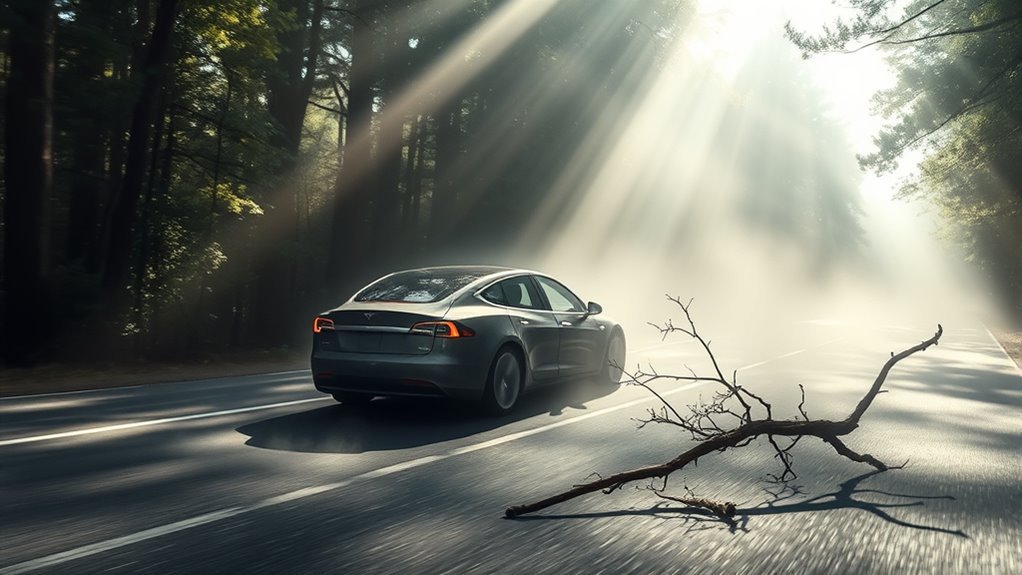
Environmental variables significantly affect how your Tesla’s sensors interpret the road. Shadows cast by trees or structures often appear as solid objects to the camera-based system.
Weather also plays a major role. Heavy rain, fog, or snow obscures camera lenses and degrades sensor performance. When visibility is poor, the system may default to a cautious state, leading to abrupt stops or false positives.
Because Tesla’s modern vehicles rely on cameras rather than radar, they lack depth perception from traditional radio waves. This limitation makes the vehicle more susceptible to environmental influences that obscure visual data.
Software Bugs and System Limitations
When software glitches occur, the Autopilot system may misread environmental cues as immediate obstacles. This often stems from how the Vision system processes complex scenes without the backup of radar input.
Common technical contributors include:
- Software code errors regarding obstacle identification.
- Imperfect sensor calibration that skews distance perception.
- Incomplete logic in newer software versions that have not been tested in all driving scenarios.
Recent data indicates that the NHTSA has received over 1,800 complaints regarding phantom braking. While Tesla pushes frequent software updates to address these bugs, the system remains a work in progress. Always maintain full attention to the road regardless of active features.
Practical Safety Habits
| Action | Description | Purpose |
|---|---|---|
| Keep foot ready | Hover near the pedal | Swift reaction |
| Apply light pressure | Press the accelerator | Override minor events |
| Clean cameras | Remove debris or grime | Ensure clear vision |
Reporting Incidents to Tesla
Reporting incidents provides Tesla with the data required to improve its software. Follow these steps when you experience an issue:
- Speak the command “Bug Report” immediately after the event while driving.
- Note the time, location, and weather conditions for your records.
- Schedule a service appointment through the Tesla app if you suspect a hardware fault rather than a software issue.
Tesla’s Path Toward Resolution
Tesla actively works to solve phantom braking through iterative software updates. The company refines its braking logic using artificial intelligence to better distinguish between real threats and benign road features.
Your reports help the company gather real-world data to train their neural networks. By analyzing these logs, engineers can create more robust algorithms. Always ensure your vehicle software remains current to receive the latest safety improvements.
Always consult with a qualified Tesla technician before assuming your vehicle’s braking issues are purely software-related, as hardware sensors can occasionally fail or require cleaning.
Future Advancements in Braking Technology
Tesla continues to evolve its Vision system to improve accuracy. Upcoming updates will likely focus on better obstacle classification and smarter braking responses.
Future improvements include:
- Advanced AI training to reduce false positives in high-contrast environments.
- Updated braking logic that prioritizes smooth transitions over abrupt stops.
- Collaborative safety standards developed alongside industry regulators.
The Future of Tesla Braking Systems
Tesla remains committed to optimizing its autonomous driving systems. While challenges remain, the combination of hardware-independent software improvements and data-driven learning suggests a more stable future for Autopilot.
Ongoing initiatives include:
- Continuous refinement of the Vision-only software stack.
- Deep integration of real-world owner feedback into AI model training.
- Transparent cooperation with federal safety investigations.
Frequently Asked Questions
What causes phantom braking?
Phantom braking stems from sensor calibration issues and software bugs. The car may misread shadows or road markings as obstacles, triggering an unnecessary emergency stop.
Why does my Tesla brake on its own?
Your Tesla brakes when its software detects a potential hazard. If the sensors miscalculate the environment, the car reacts defensively to keep you safe, even if the danger isn’t real.
How often does this occur?
Many owners report these events, particularly during highway driving. While not every driver experiences it, it remains a known limitation of the current Vision-based system.
What is phantom battery drain?
Phantom drain refers to the loss of battery charge while the vehicle is parked. It occurs due to background power usage from features like Sentry Mode, cabin climate control, or periodic system wake-ups.
Managing Your Driving Experience
While phantom braking creates frustration, proactive management keeps you safe on the road. Remember that keeping your foot near the accelerator is the best way to handle unexpected events. Continue to use voice reports to help Tesla refine their systems for everyone. By staying informed, you maintain better control over your vehicle and your safety.







Leave a Reply